

Introduction to Interlab EVO, our web-based test management system.
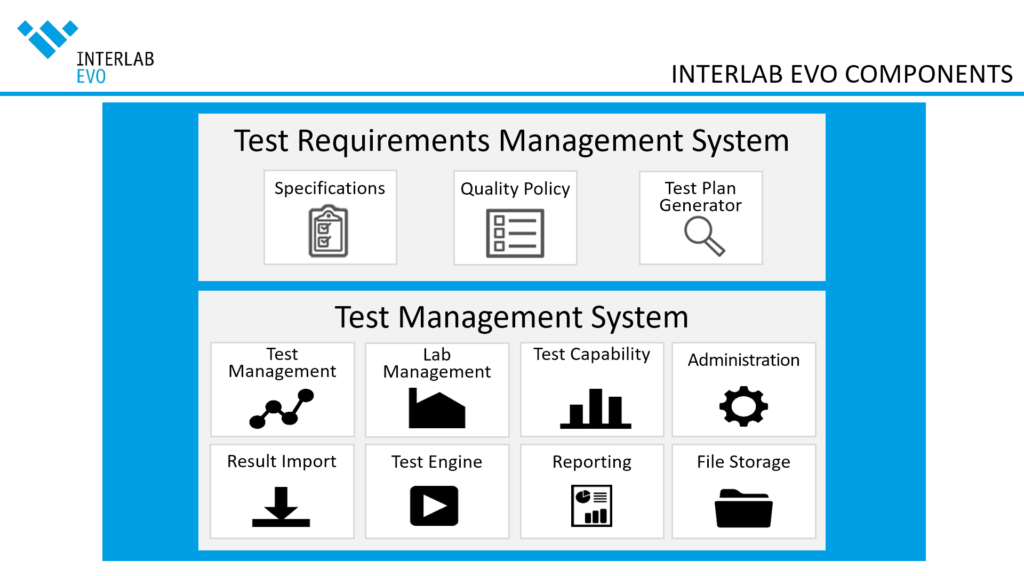
Replace the following image with an interactive Master Slider single slide with hot spots allowing the user to directly jump to the corresponding component detail page.
- Interlab EVO is a seamless test management system
Users don’t have to use different tools to handle different project - Interlab EVO is a web-based system
Easily accessible system via standard Internet browsers - Interlab EVO is an open content management system
The usage of the system can be extended beyond content 7layers offers - Interlab EVO adapts to your needs
Enhanced usability and satisfaction due to a high adaptability - Interlab EVO comes with several interfaces and import functionalities
Usage and combination of many supporting tools within a lab set-up. - Interlab EVO allows several ways of test plan generation and import
Generation of test plan requires less technical know-how.
Import of test plans can be automated, is less prone to error. Life cycle management can be handled more easily. - Interlab EVO creates test reports automatically based on self-defined templates
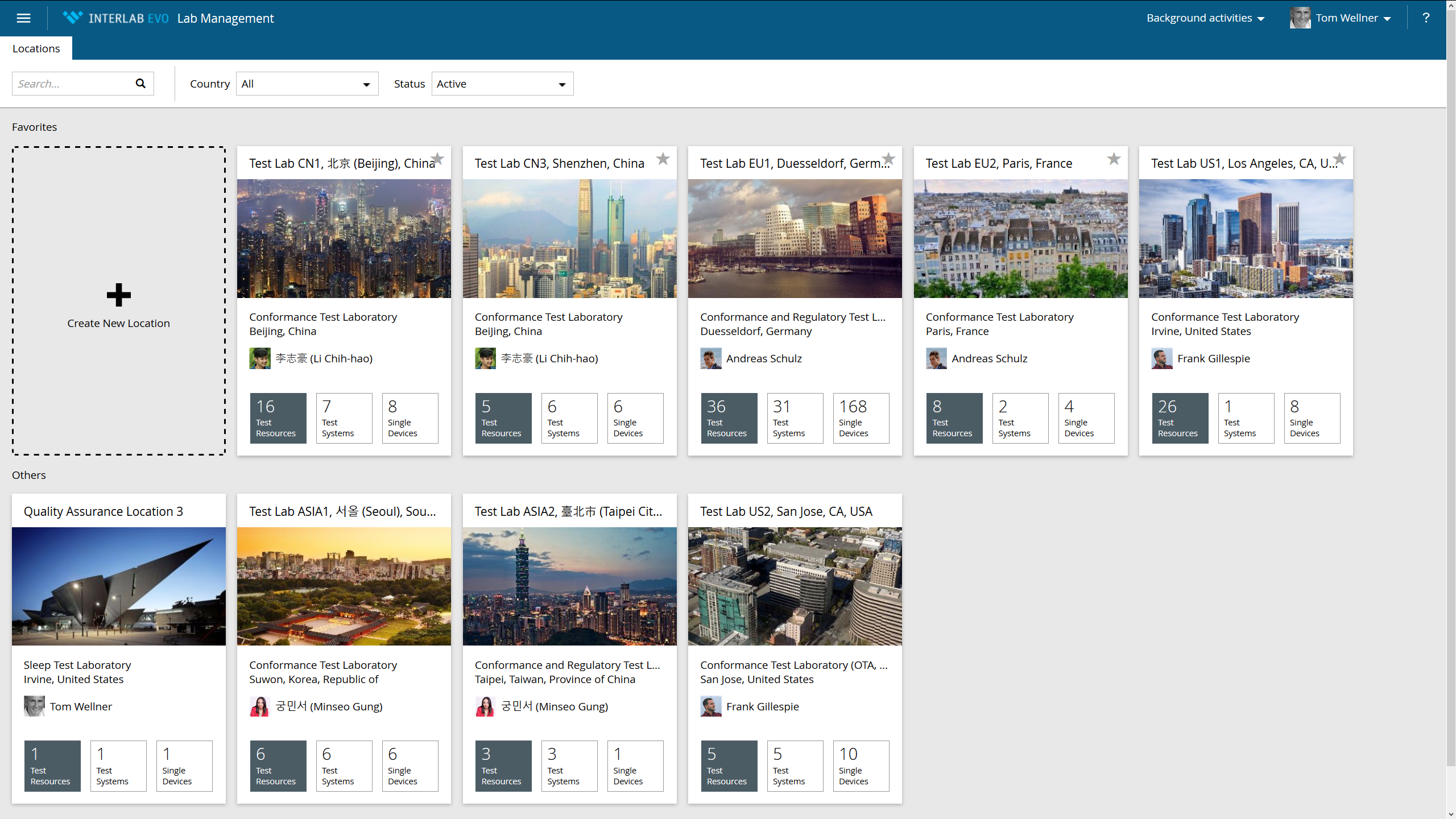
- The overview of test resources, test systems and single test equipment in different locations
- Calibration status overview
- Overview of lab events (HW/SW updates, calibrations, training …
- Automatic determination of test durations
- E-mail notification system
- Laboratory management according to ISO 17025 requirements
Lab Management

- set-up projects
- manage access rights
- manage objects-under-test
- create and update test plans
- assign test plans to test resources
- enter or import test results
- analyze and approve test results
- create test reports
- get a fast status overview on projects, objects-under-test and test plans via graphical charts and reports
- create and track Issues within your projects
Test Management
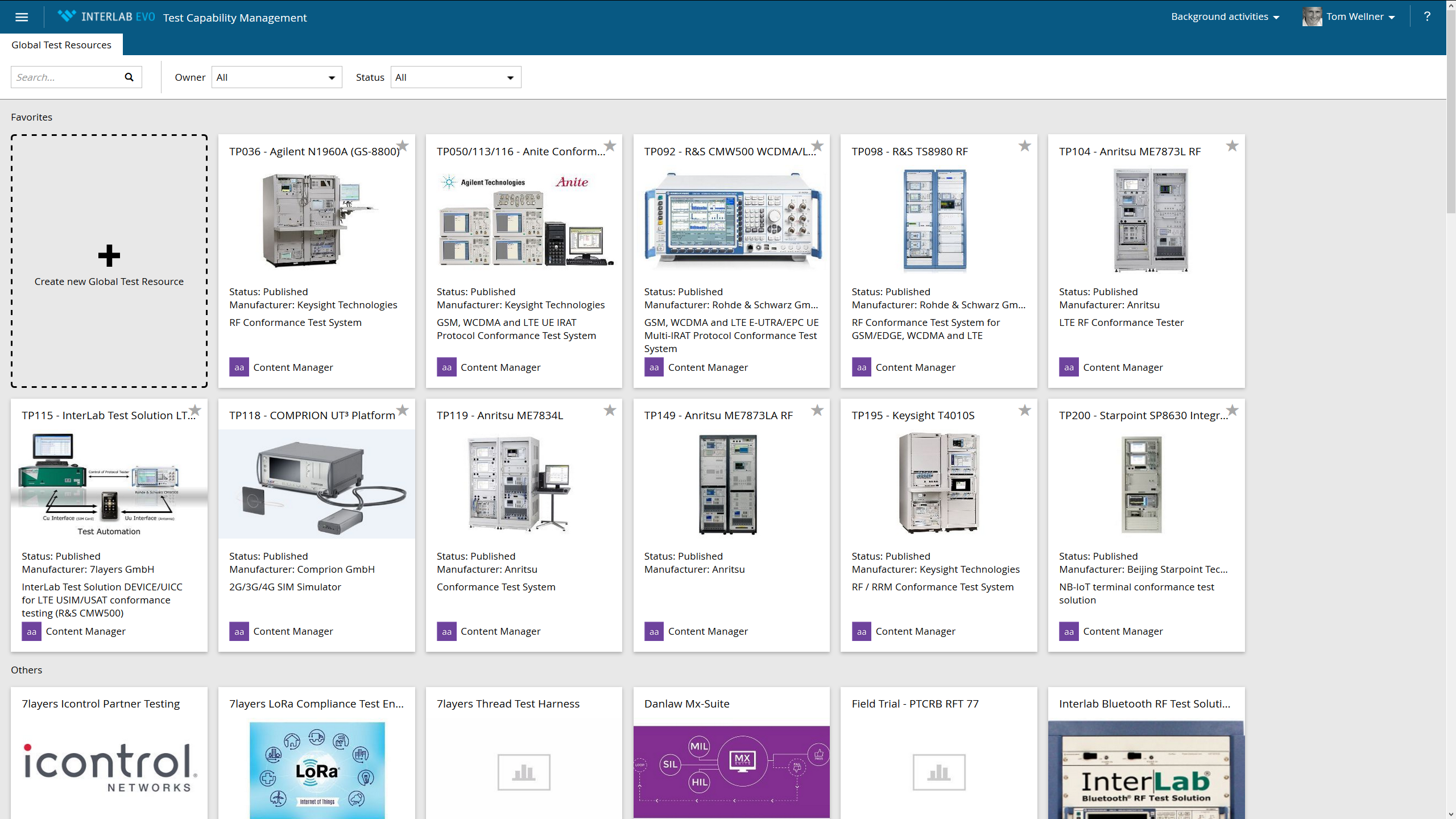
- define globally available test resources, important for your business environment
- describe test system configurations
- test parameters
- test capabilities
Test Capability Management
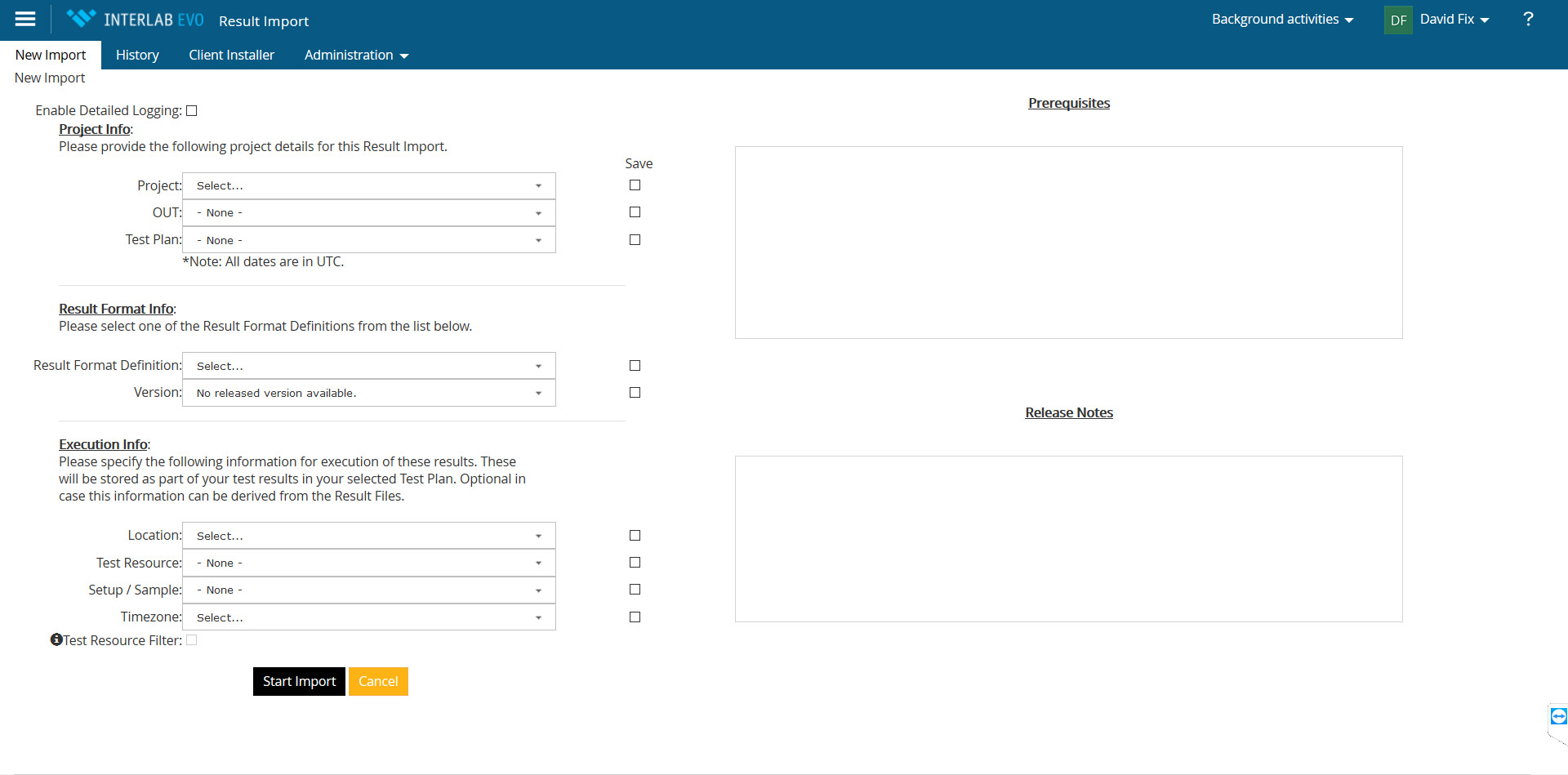
Test results can be uploaded into the system automatically and linked to the respective test plan. Supported file formats can be spreadsheets, XML or RTF files. With the help of different parsers used in combination with configuration and mapping rules, you can configure externally provided files so that they match the Interlab EVO data structure.
Result Import
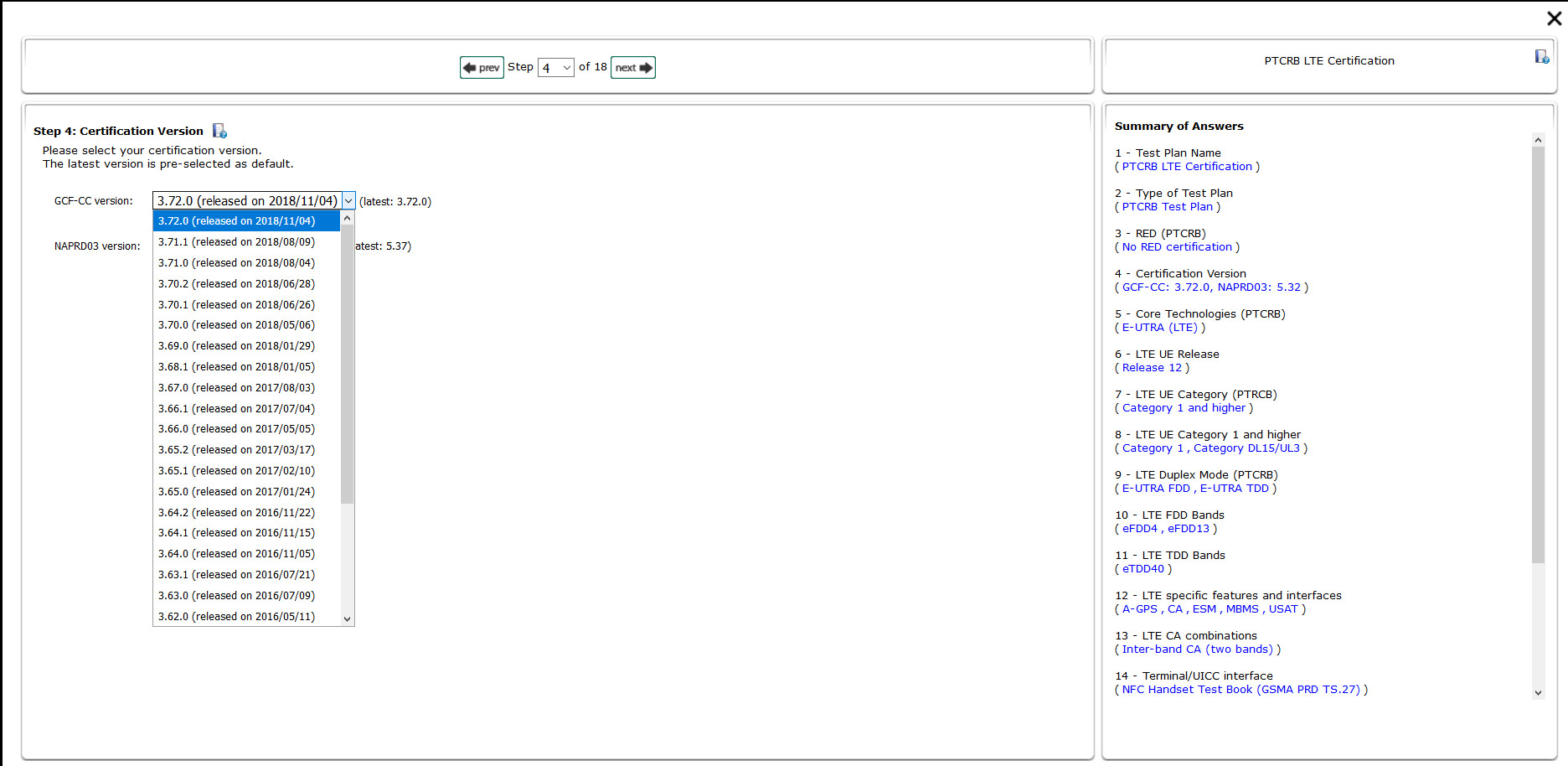
- describe the device-under-test via a market access specific, guided questionnaire
- choose a quality policy that has been generated within the system or uploaded beforehand
- press the “Go” button and get an up-to-date test plan within minutes
- the test plan can then be imported into the Interlab EVO Test Management System
- if necessary the automatically generated test plan can later be adapted manually.
Test Report Generator
[dd-parallax img=”TM-Projects-Overview.png” height=”700″ speed=”2″ z-index=”0″ position=”left” offset=”false”]
Test Management component: Project Overview
[/dd-parallax]
Next
[dd-parallax img=”TM-Project-Dashboard.png” height=”700″ speed=”2″ z-index=”0″ position=”left” offset=”false”]
Test Management component: Project Status Dashboard
[/dd-parallax]